
Last Updated:
Article #: 18956
If you still have access to the old email inbox, and can log in to Drake Hub, you can change your own email address by following the self-service steps below. This process is the same for Admin and User level accounts changing their own email address.
If you are unable to log in toDrake Hub because you cannot access your old email inbox (needed to retrieve the verification codes), contact your office administrator and ask them to update your email address in Drake Hub (administrator steps below). This process is only available for Admin level users.
If you cannot change your own email address, and there is no other administrator in the office, contact Drake Support at (828) 524-8020 for assistance.
If you are unable to log in to Drake Hub because you have forgotten your password, see Drake Hub – Password and Security Questions for steps on recovering your password. Then, you can make the changes to your email address by following the steps below.
Self-Service Changes
-
Log in to Drake Hub with your existing email address and password.
-
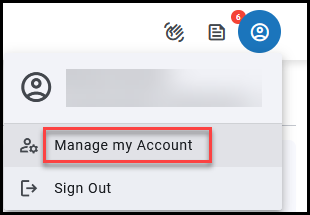
At the top right, choose the profile icon > Manage my Account.
-
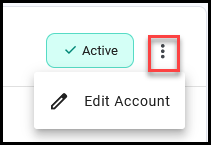
Click the menu and choose Edit Account.
-
Edit the Email address listed on the Edit Staff User window..
-
Click Save.
Admin Changes
If a Staff member is unable to log in to Drake Hub to update their email address, an admin can follow the steps below to update it for them.
-
Log in to Drake Hub with your own SSO credentials.
-
On the left, choose Staff.
-
In the listing, locate the staff member.
-
You can also filter or search for staff members in the list.
-
-
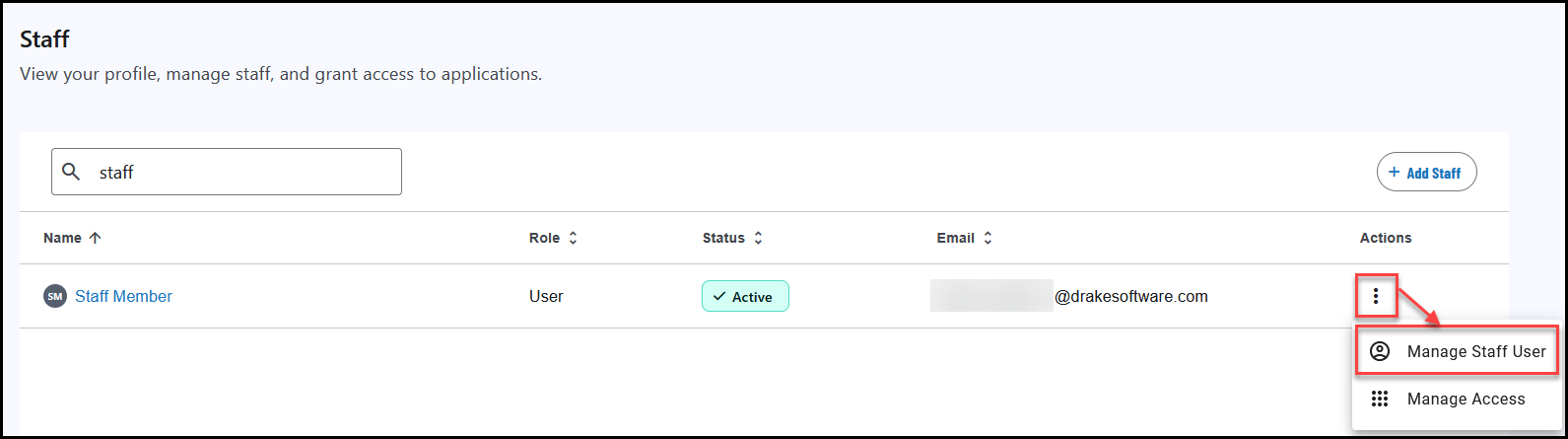
Under Actions, select the menu and click Manage Staff User.
-
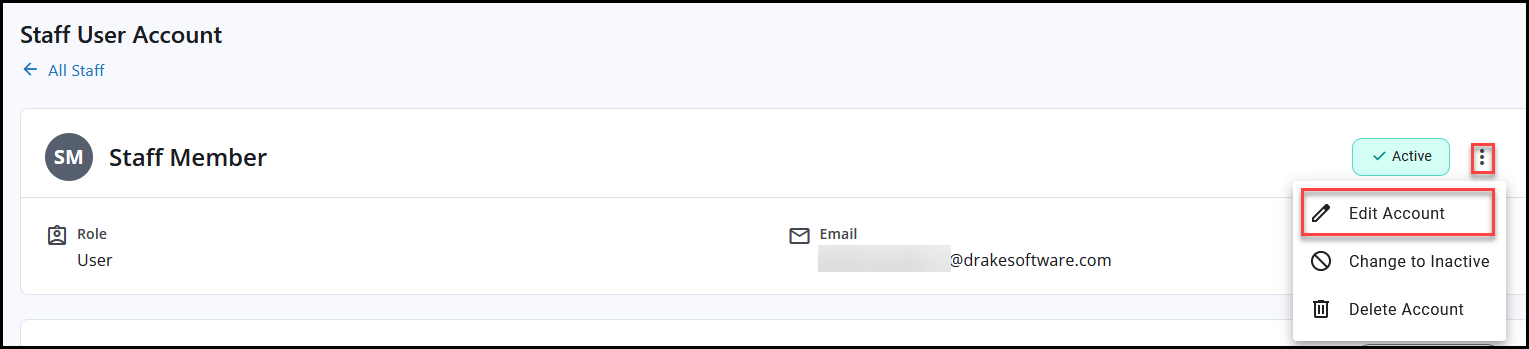
Click the menu on the right and choose Edit Account.
-
Edit the Email address listed on the Edit Staff User window..
-
Click Save.
-
Have the staff member log in to their account using the updated email address and their previous password. If they cannot recall their password, have them use Drake Hub – Password and Security Questions to recover it.