Drake Tax - EF Message 6219
Article #: 20076
Last Updated: April 28, 2026


To clear EF Message 6219, follow these steps:
-
Return to data entry.
-
Go to screen 8962 or screen 95A.
-
Enter the applicable amounts in columns A and B for each line that have an amount in column c (see the example below on screen 95A). The required fields will have a blue shaded background.
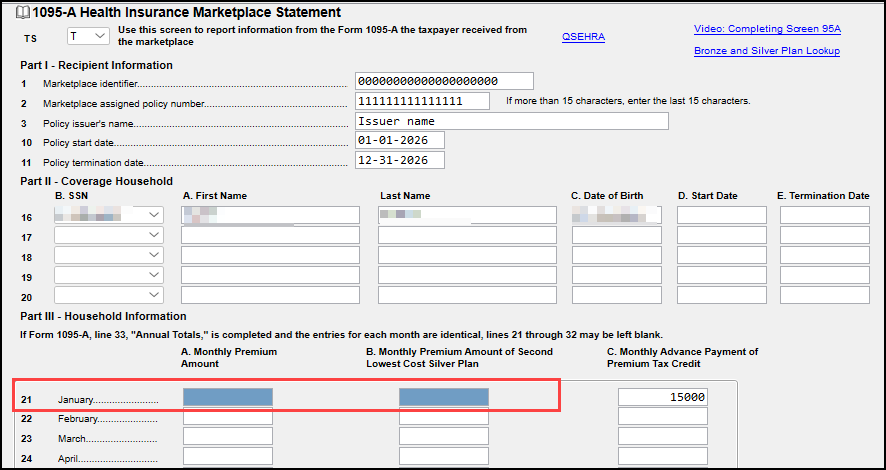
To find more information about the premium tax credit, select the Bronze and Silver Plan Lookup link at the top of the screen.