Drake Tax - EF Message 2016
Article #: 20077
Last Updated: August 07, 2026


To clear EF Message 2016, follow these steps:
-
Return to data entry.
-
Select screen 915F from the Adjustments tab.
-
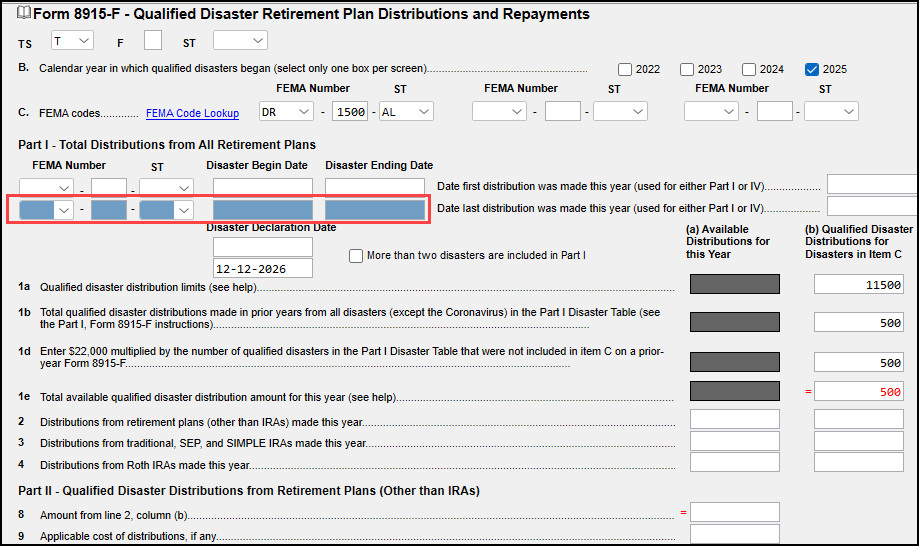
Enter the applicable information in Part I. See the below example of missing information in Part I. The required fields will have a blue shaded background.
.