

Last Updated:
Article #: 13387
Drake Software offers CPE software training in webcast format. The webcasts are high quality, studio produced, full motion streaming videos viewed over the internet.
To register, follow these steps:
-
Sign in to Support.DrakeSoftware.com/Training.
-
In-person classroom training locations are also available here.
-
-
Select the webcast course.
-
Locate the date that you want to attend and click Register.
-
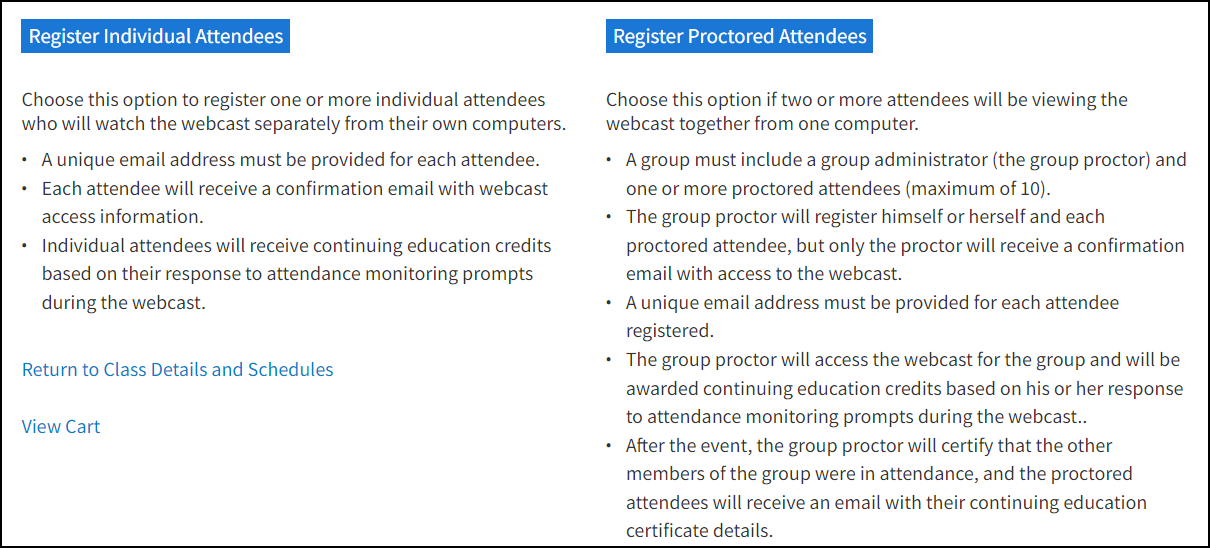
Select to Register Individual Attendees or Register Proctored Attendees (a brief description of the two options is available).
-
Enter attendee details and click Register.
-
Be sure to indicate professional designations so that CPE credits can be applied.
-
Registrants are responsible for ensuring that the name and PTIN provided match IRS PTIN records.
-
To learn more about the webcast, system requirements, testing or troubleshooting steps, refund policy, and continuing education credits click here.