

Last Updated:
Article #: 15152
Overview
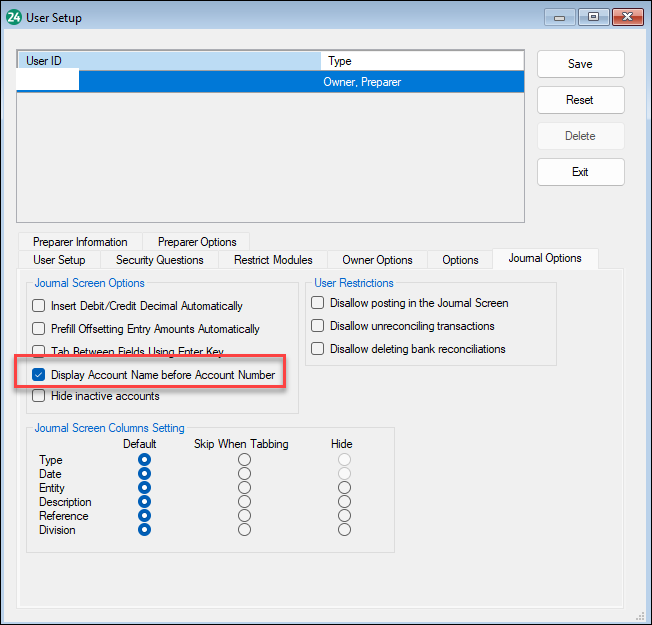
To have the account name display before the account in the journal, follow these steps:
-
Go to Firm > User Setup > Journal Options tab.
-
Select Display Account Name Before Account Number.
-
Click Save.
-
Then go to Accounting > Transactions.
-
When you go to look for an account, you can now pull up the account with the name first rather than the account number.
-
-
You can also search for accounts by typing the first letter of the account name in the account field. The software will automatically show all of the accounts starting with that letter.