

Last Updated:
Article #: 19011
Drake Audit Defense is a post-filing service that gives your clients access to credentialed tax experts when they receive an IRS notice, state notice, audit inquiry, or experience tax-related identity theft. This service is provided by Drake Software and is fully integrated into your existing Drake tools.
For eligible cases, the Drake Audit Defense team assists with case communications and documentation related to the covered tax authority matter.
Drake Audit Defense covers the following post-filing issues:
- IRS notices
- State notices
- Audit inquiries
- Assistance and guidance for tax-related identity theft
Find a full list of services in the Audit Defense Terms.
Enrollment Types
- Practice Coverage: blanket enrollment for your entire tax client base for individual and/or business returns audit defense for all eligible returns that you prepare and file
- Per-Return Coverage: add audit defense on a tax return-by-return basis as elected by the client for individual returns
Both options are managed directly through the Drake Software interface. Enrollment details, tracking, and status updates regarding the Covered Return are accessible from where you already work.
Enrollment Steps
Coverage applies beginning with eligible Tax Year 2026 returns filed on January 1, 2027, or later. To complete your enrollment, follow these steps:
- Log into the Drake Software Support website.
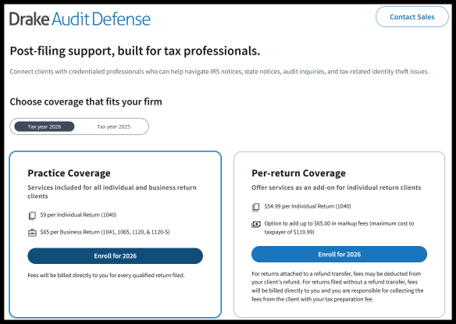
- Click Purchasing > Tax Protection.
- Click Enroll for 2026 under which coverage type you would like to enroll in:
- Practice Coverage
- Per-return Coverage
Practice Coverage
- Business return coverage is optional under Practice Coverage. If you do not wish to include business returns in your coverage, toggle the Business Returns option off.
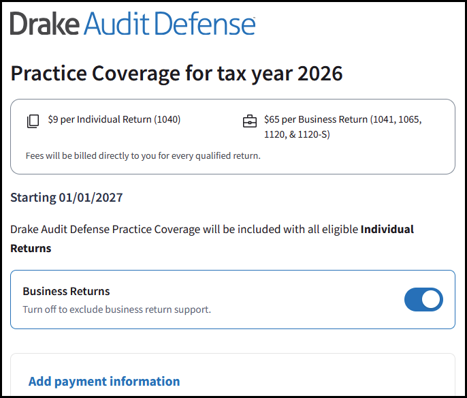
- Add your payment information and click Save.
- You will not be charged at the time this registration is submitted.
- This card will be charged periodically as you file tax returns.
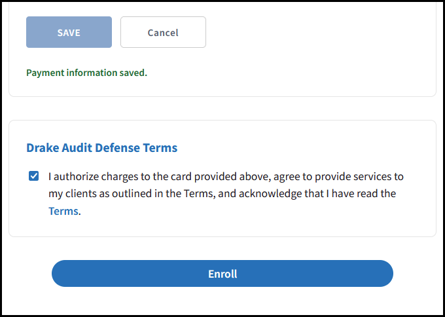
- Review the Terms.
- Select the box under Drake Audit Defense Terms to acknowledge that you have read the Terms and authorize charges on the card provided.
- Click Enroll.
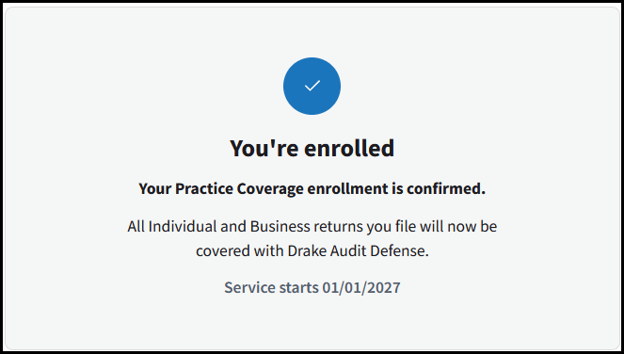
- The confirmation that you have enrolled in practice coverage displays.
- Enrolled in practice coverage for all individual and business returns:
- Enrolled in practice coverage for all individual returns (no business included):
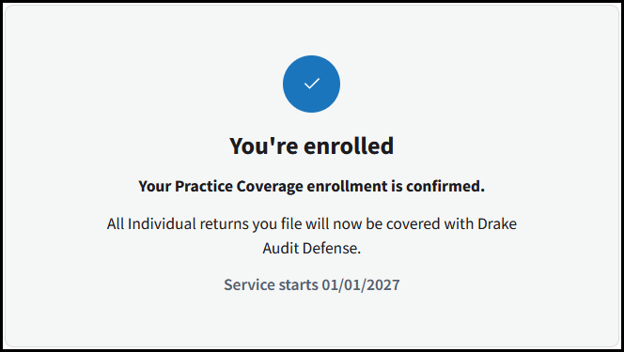
- Enrolled in practice coverage for all individual and business returns:
Per-return Coverage
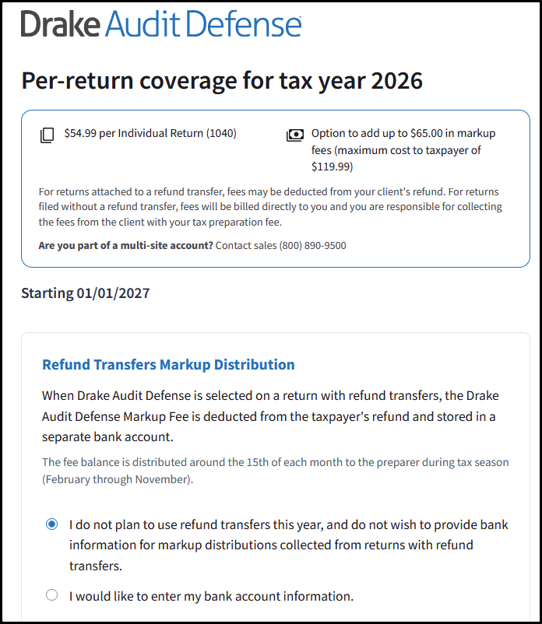
- If you offer refund transfers to your clients, you have the option to process the Drake Audit Defense fee from the client’s refund. You also have the option to add a markup fee to the service. Select the applicable Refund Transfers Markup Distribution option:
- I do not plan to use refund transfers this year, and do not wish to provide bank information for markup distributions collected from returns with refund transfers.
- I would like to enter my bank account information.
- Enter a bank account you would like to receive markup fee disbursements.
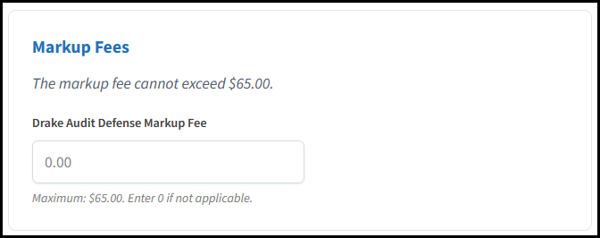
- Enter a markup fee (optional). Enter 0 if not applicable.
- Add your payment information.
- Review the Terms.
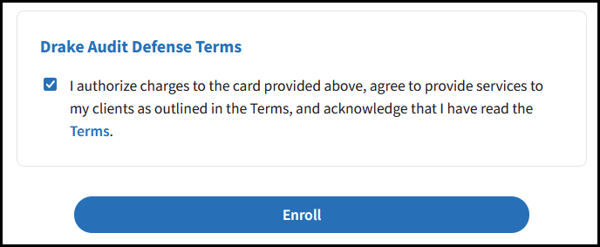
- Select the box under Drake Audit Defense Terms to acknowledge that you have read the Terms and authorize charges on the card provided.
- Click Enroll.
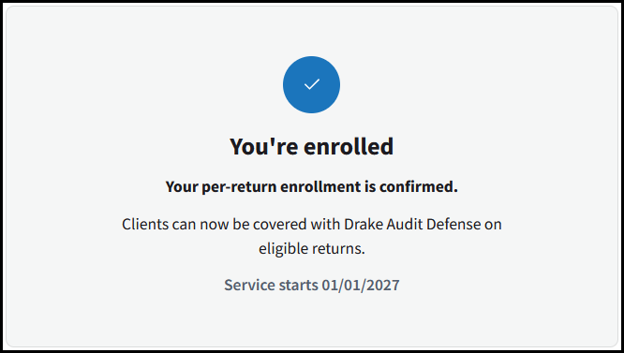
- Confirmation that you have enrolled in the Per-return coverage:
Billing
The firm, preparer, ERO, or company enrolled in Drake Audit Defense will be billed periodically for covered returns.
Note
- You must keep a valid payment method on file for the auto-draft of fees. Currently, a credit card is the only supported payment method.
- If you need to edit the card information on file, log into the Drake Software Support website, click Purchasing > Tax Protection and select Edit next to the card info.
Pricing
Drake Audit Defense pricing depends on which program you decide to enroll in.
- Per-Return Coverage 1040 Returns only – $54.95
- Practice Coverage 1040 Returns – $9.00
- Practice Coverage Business Returns (1041, 1065, 1120, 1120-S) – $65.00
Frequently Asked Questions
How long do the Drake Audit Defense services last?
Drake Audit Defense is provided on the federal return and state returns for three years after filing.
Are tax returns for prior years covered by Drake Audit Defense?
No. Coverage applies only to the return that was enrolled in Drake Audit Defense, beginning with Tax Year 2026 returns.
Can Drake Audit Defense be used on 706 or 990 returns?
Drake Audit Defense does not cover 706 or 990 returns. If using Drake Audit Defense Practice Coverage, you will not be billed for a 706 or 990 return that is filed through Drake Tax.
Who will assist with an audit?
Eligible cases are supported by credentialed tax experts.
If I want to add a mark-up to Drake Audit Defense, where can I list that?
Mark-up fees are not available for the Practice Coverage program.
If using Drake Audit Defense Per-Return Coverage, a mark-up of up to $65 may be added when you enroll. You can specify your markup amount on the Per-Return enrollment screen.
Note
- When Drake Audit Defense is selected on a return with refund transfers, the Drake Audit Defense Markup Fee is deducted from the taxpayer’s refund and stored in a separate bank account.
- The fee balance is distributed around the 15th of each month to the preparer during tax season (February through November).
- If the return is filed without a bank product, you will be responsible for collecting the markup fee when processing your billing for return preparation. For example, if you have a $30 markup fee, you will collect $84.95 from the taxpayer, and you will only be billed $54.95 for the cost of Drake Audit Defense on the individual return.
If I’m enrolled in Tax Protection Plus Firm-Level Coverage for Tax Year 2025, will I automatically be enrolled for Tax Year 2026?
No. If you currently use Protection Plus for Tax Year 2025 and would like to enroll in Drake Audit Defense for Tax Year 2026, you will need to separately enroll.
You can continue to use Tax Protection Plus for 2025 returns through the applicable Tax Protection Plus coverage period.
I completed my enrollment, but want to change the program I have enrolled in. How do I do that?
If you are interested in changing programs, please contact the Sales team at (800) 890-9500.