
Last Updated:
Article #: 14201
How to stop returns from calculating automatically whenever exiting data entry
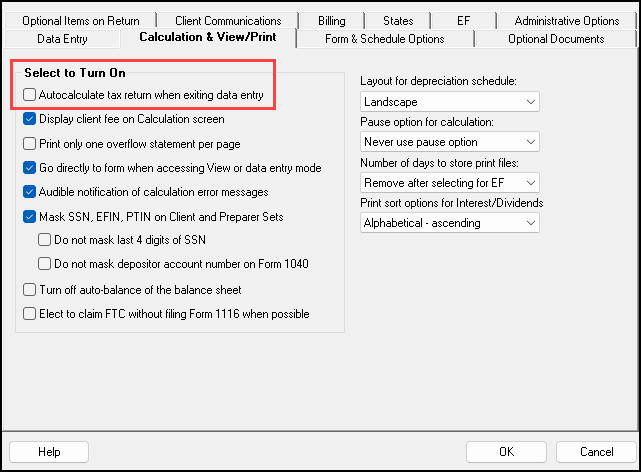
To prevent your tax returns from auto calculating whenever you exit the return, from the main screen of Drake Tax go to Setup > Options > Calculation & View/Print tab. Uncheck the Autocalculate tax return when exiting data entry option. Click OK at the bottom to save your changes.