Last Updated:
Article #: 19001
You can now create a Split Analysis report for Married Filing Joint returns in Drake Tax Online by following the steps below.
Tip Watch the Split Analysis Report video for a demonstration.
-
Complete all required entries on the joint return.
-
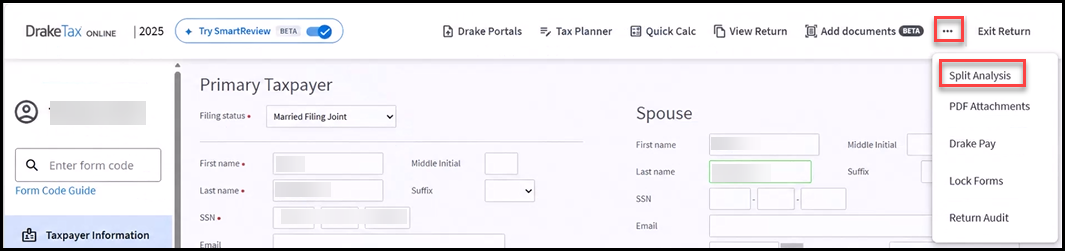
Click on the menu and choose Split Analysis.
-
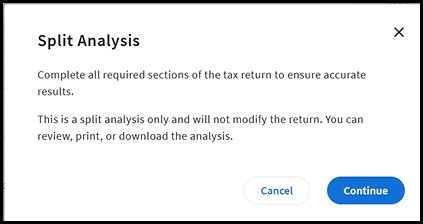
A Split Analysis pop-up displays to remind you that you must complete all required sections prior to the analysis to ensure the most accurate results. If you are ready, click Continue.
-
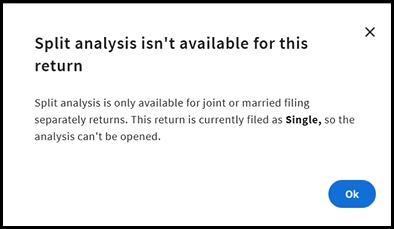
If you attempt to use the Split Analysis in a return that is not MFJ or MFS, you will see the following pop-up:
-
-
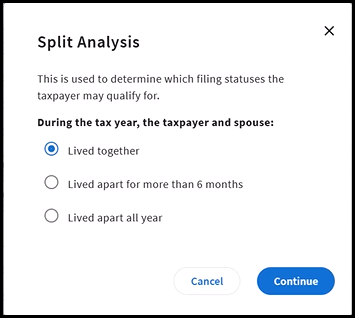
Select whether the taxpayer and spouse Lived together, Lived apart for more than 6 months, or Lived apart all year. Then click Continue.
-
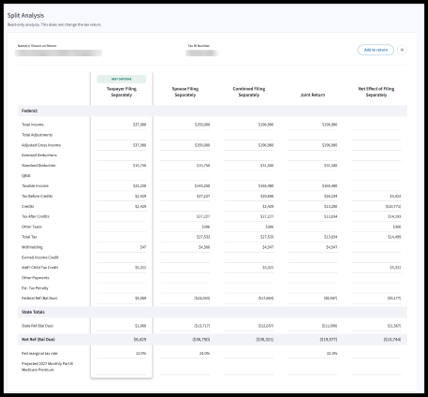
The Split Analysis report displays with the best outcome noted. You can compare the results with the taxpayer and determine the next steps.