Last Updated:
Article #: 10943
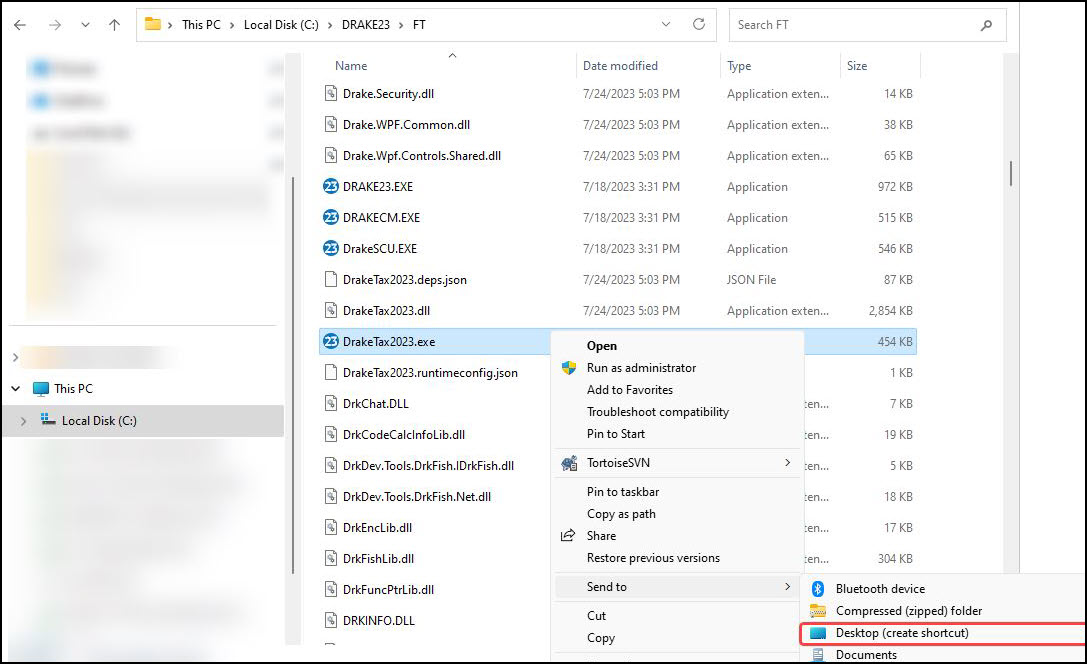
If your Drake Tax desktop icons are missing, you can recreate the shortcut by navigating to the drive where Drake Tax is installed and following the instructions for your program year below:
Note Steps marked with an asterisk (*) apply to Windows 11 systems only.
- Drake Tax 2022 and forward: Go to DRAKEYY\FT, right-click DrakeTax20YY.exe, and choose *Show more options > Send to > Desktop (create shortcut).
- Drake Tax 2016 to 2021: Go to Drake[YY]\FT, right-click DRAKE[YY].exe, and choose *Show more options > Send to > Desktop (create shortcut).