

Last Updated:
Article #: 18582
Overview
In order to post transactions in Drake Accounting, debits and credits on the Accounting Transactions section of the Invoices screen must be in balance.
To correct this issue:
-
Go to Payables > Invoices.
-
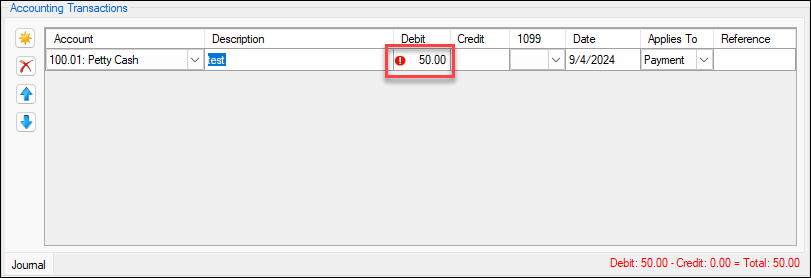
In the Accounting Transactions section, view the red validators indicating which transactions need to be rebalanced.
-
To balance the transactions, the total of the Debit and Credit rows must be equal, resulting in a green Total of 0.00 in the bottom-right of the screen. Enter Debit and Credit amounts, as necessary, to balance the transactions.
-
Once all validators are cleared (when the Total is 0.00), you can post the transaction (Accounting > Transactions).